

















Create & Share Professional User Journeys
Lesson 9: Turn User Steps into a Visual Story
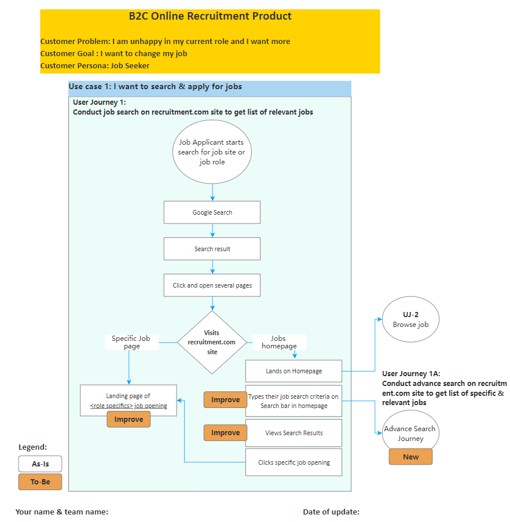
This hands-on lesson takes you through building a user journey in Mockplus. You’ll learn how to use the platform’s features to visually represent user steps and create a clear, informative user journey for your chosen use case.
Benefits:
- Master Mockplus user journey creation: Learn the tools to visually map user experiences.
- Bring user steps to life: Use Mockplus components to represent user interactions and system responses.
- Gain hands-on experience: Practice creating a user journey from start to finish.